What exactly does a 21st century teacher librarian do? A list of curated topics in Scoop.it

This has been reposted from my school library blog.

On the topic of the teacher librarians’ role and exactly what it is we TLs do in our jobs, I wanted to share this article in The Guardian: Beyond books: what it takes to be a 21st century librarian.  We all know that there’s more to being a librarian than stamping books, as the subtitle of the article states. How bothered are we by the fact that a large proportion of our school communities have little idea what we do?

If we stopped the next person walking by on the street and asked them what our jobs as librarians involve, we’d be willing to bet that their first answer would be stamping books. This is because many people’s experience of librarians is of the frontline, customer service staff.

I think the same can be said of school libraries although it varies greatly depending on the interaction between teacher librarians and teaching staff. What the article says about librarians is surely relevant to teacher librarians, librarians and technicians –

If anyone ever thought they’d become a librarian because they liked books or reading, they would be sorely disappointed if they did not also like people too.

Of course, in the digital age, in fact, in the global digital culture in particular, teacher librarians play a vital role in schools. What exactly is the role of a 21st teacher librarian?

It’s not something which can be answered in a simple sentence. For this reason, I want to share links to curated websites on this topic. I am including a list of Scoop.its which have been curated by various people (including me) on the topic of the 21st century teacher librarian. I hope you find this list useful; it includes all things relevant to the 21st century librarian in the broadest sense.

My Scoop.it – What is a teacher librarian?

Curation and libraries and learning – Joyce Valenza

e-Books – Carmel Galvin

Create the web and learn to live – @pipcleaves

21st century libraries – Dr Steve Matthews

Educational technology and libraries – Kim Tairi

Embedded Librarianship – Buffy Hamilton

Graphic Novels in the classroom – @dilaycock

Information coping skills – Beth Kanter

Information science and library studies –  Joao Brogueira

Information fluency, transliteracy, research tools – Joyce Valenza

Inquiry and digital literacy – Shawn Hinger

Internet Search – Phil Bradley

Learning – Darren Kuropatwa

Libraries and ethnography – Buffy Hamilton

Libraries and Tumblr – Buffy Hamilton

Libraries as sites of enchantment, participatory culture and learning (what a title!) – Buffy again

Livebinders – Peggy George

Multiliteracies – Vance Stevens

New librarianship – Karen Burns

Personal learning networks for librarians – Donna Watt

QR codes – libraries – NairarbilUCA

Readers’ advisory for secondary schools – Marita Thomson

School libraries – Nickki Robinson

Social media content curation– Guiseppe Mauriello

Social networking for information professionals – Judy O’Connell

The library technician – Dawn Jimenez

Student learning through school libraries – Lyn Hay

Weird and wonderful – for librarians and booklovers – Jean Anning

This selection is only a small fraction of what’s being curated by people passionate about their topic on Scoop.it. It’s overwhelming but also a fantastic way of keeping track of evolving scoops on searchable topics. The fact that the list relevant to teacher librarians is so broad indicates the breadth of the teacher librarians’ focus and involvement. Of course, we can’t do everything but it’s a good idea to see potential involvement, and having seen the bigger picture, delegate to team members (assuming you have a team) the most pressing areas according to their interest.

By the way, Scoop.its are very easy to make and make reading enjoyable in their magazine-scoop-style presentation. It’s easy to follow, to search, to share and to recommend Scoop.its and articles. It’s also a brilliant way to build your Personal Learning Network by investigating the curators, checking out their bio, looking at what else they’ve curated or what they themselves follow.

You’ve got to start somewhere! Happy scooping!

5 things I’d like my teacher to know about me – meme and retrospective

The talented (and Pottermore expert) Judith Way tagged me in this meme – 5 things I’d like my teacher to know about me. You can read Judith’s post here. Why not? It’s short, it’s useful in preparation for school as a zoom-in on the student-teacher relationship. Okay, so here goes: –

1. Just because I get good marks doesn’t mean I don’t need encouragment. This happened to my older son too. Teachers often focus on boosting the confidence of struggling students, leaving the bright ones without any encouragement. All kids need to feel encouraged and appreciated.

2. I might present as a happy student because I’m well behaved, but inside I’m bored to death. Of course in my day (in primary school) you sat patiently for ages while everyone took their turn to read, particularly, the struggling readers who needed more practice. Bad luck if you’d already read the whole reader (yes, one reader for the whole year) before school started.

3. Just because I get good marks doesn’t mean I am confident. In fact I am far from confident and suffer over little things, beating myself up about my imperfections. (Just realised there’s a bit of a theme here, and also I should probably go to a counsellor! so many things stirred up here…)

4. I love the way you decorate the classroom (primary school obviously). I may not say anything but all the differently coloured papers, craft activities, displayed work makes a happy environment for me and I remember it all decades later. Visual, tactile, olfactory experiences are powerful and affect the learning experience. Okay, so  obviously all my answers focus on primary school.

5. I need more context. So many activities, simple as they were, left me feeling confused. I didn’t see the point of the exercise. Then I started wondering if I was the only one feeling confused, especially when everyone else seemed to accept the activities without any problems. Even as far back as prep grade, I remember wondering what the point of Tic Tac Toe was. Maybe I was missing the point. Do you think that perhaps I may have been a little paranoid? Still, kids are not stupid, a little context goes a long way. Remember, kids are learning so much every day, there’s a lot of information processing going on. Lots of discussion and question time will help with this.

So now I need to tag other people to write a similar post. Bearing in mind these people may not choose to participate given their busy lives. In hope, but with understanding in case you can’t do it, I tag you, @jennyluca @angelquilter @kimyeo @sujokat @Larrydlibrarian  Thanks and don’t worry if you can’t do it – busy time of year!

PS Yes, I know, I need therapy.

Getting ready for iPad rollout at school – exploring apps and thinking about Apple’s new iBooks Author

Unexpectedly, and on the last day of school (for me, as teacher librarian – all the classroom teachers were on holidays the week before), our principal announced at an informal meeting that we were going to put iPads in the hands of students and teachers at school, starting with all our year 9 and 10 students. Okay, so I get my iPad1 upgraded, not bad at all. It seems our school is the first to gain approval to use the government funding for technology on iPads.

As happy as I am, and as excited about the possibilities for innovative, hands-on, mobile learning, I can’t help wonder how it’s going to work – with teachers coming back to school without preparation time, time to think and plan, time to play (I don’t think too many teachers have used iPads), time to collaborate within faculties to decide on a plan of attack. Nevertheless, it’s an exciting new direction, and with Apple’s recent announcement of the iBooks Author, I wonder if digital textbook creation will ever be possible on the iPad. I’ve saved in my Diigo only a few of the many reactions from people after having read Apple’s license agreement restictions.

I’ve been doing a little thinking and researching myself. Last year I put together online resources for the use of mobile technologies in the classroom in our library’s new LibGuides. You can access these resources here (don’t forget there are 2 tabs) – yes, I’ve mentioned these before but I’ve been adding links here and there. I’ve also created other LibGuides pages which support the use of mobile technologies, eg 21st Century Learning and Digital Citizenship (multiple tabs) and these a work in progress.

Having the time to myself these holidays, time to meet with family and friends, to shop and explore, I’ve (perhaps foolishly) decided to tackle the 365 daily photo blog again. Yes, I have. But this time I decided to do what some of my online colleagues are doing, and that is use a few choice apps to quickly and easily upload photos to a blog, usually without text. I figure, yes, I miss the description and reflection, but at least this will be an easy way to document my year as well as play with photo apps on my phone. So it’s Posterous that I’m using and the app PicPosterous to upload the photo, or else you can email the photo straight to the blog. My blog is called Going round again (yes, I know, not very original). In most cases I’m not including any text, just throwing up a visual snapshot of my day.

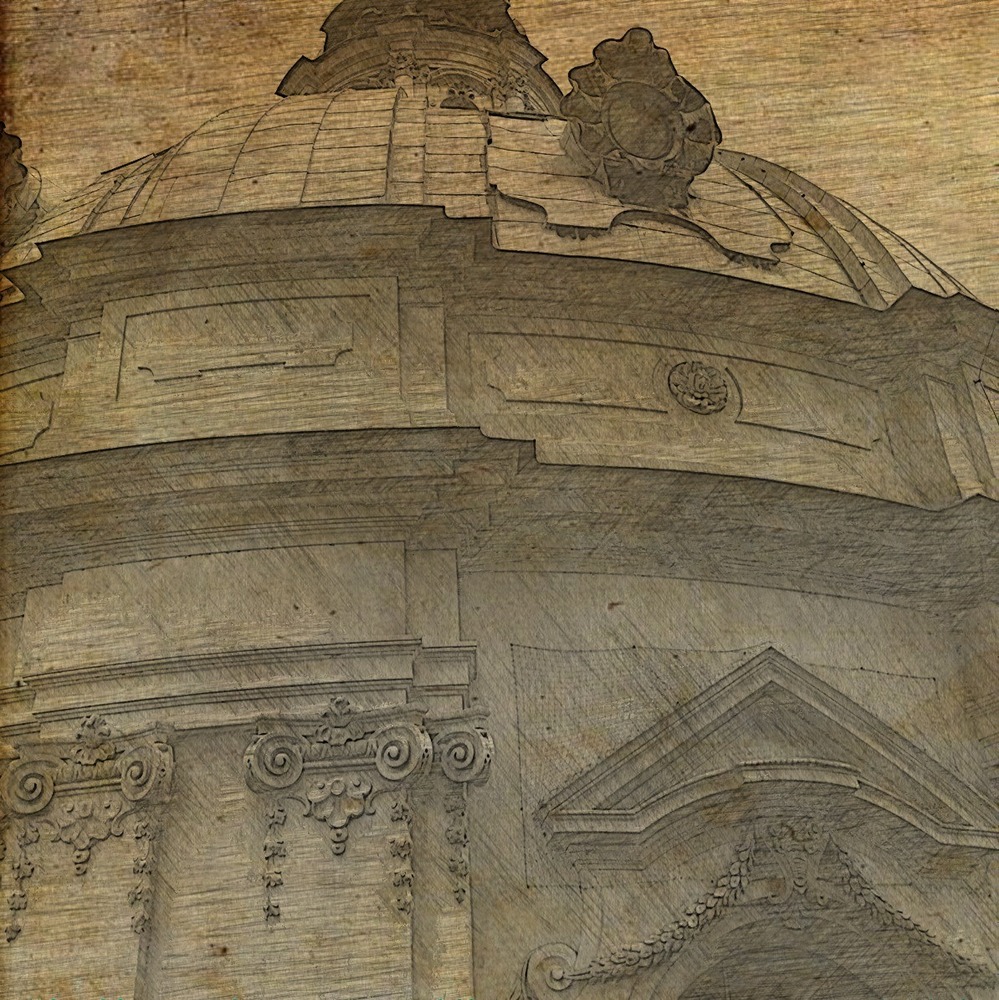
There are so many apps for photo editing which sometimes transform a mundane subject matter into something a little more interesting. As you can see at the top of this post, I’ve been playing with an app called Kinotopic – I’m sure that photo is driving you nuts by now. You can read about what this app can do on the website but as far as I’m concerned it creates pictures like those hanging on the walls of Hogwarts, moving pictures. Very cool. Less cool is my skill at colouring what needs to move without disconnecting things that shouldn’t be disconnected. Have a go if you can, it’s fun. Heaps of possibilities for students for creativity here.

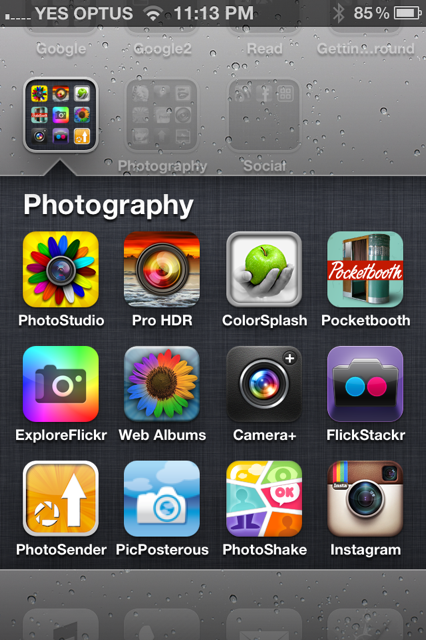
I’ve included screen shots of my photo apps –

The apps I’ve used the most are PhotoStudio, Instagram, PhotoShake, and more recently, after Kim Cofino‘s recommendation, Camera+. It’s easy to go from the photo itself on the phone to the editing and finally posting to Posterous (via PicPosterous app or email). The effects are fun and make an otherwise mundane photo look a little more interesting or at least look better with a frame.

Of course, there are so many more apps for whatever purpose, and here’s the link to the links I’ve been saving over time.

Gimmicky apps aside, teachers are interested first and foremost in applications which enable them and their students to function as they always have, eg word processing, document saving, etc. A recent Twitter discussion confirmed the popularity of Evernote to do – almost everything! Andrew Maxwell shared 100 uses for Evernote which is a handy little checklist. The Apps in Education ning has a good selection of Apps for Teachers.

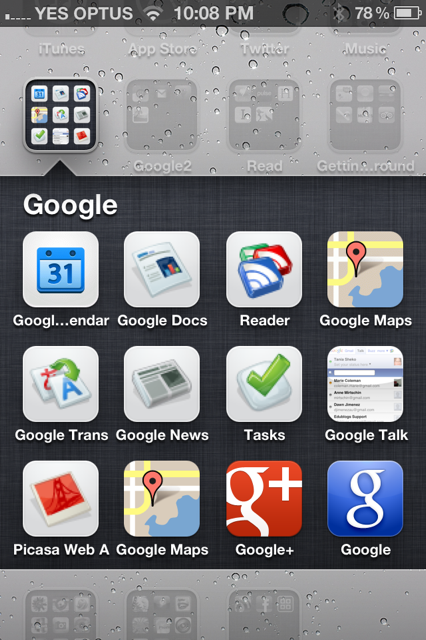
Google has a suite of apps for all its different tools.

I’m getting ready to present to staff and I’m happy to do the research for what they need, but I’ll also be recommending they build their personal learning networks, join Twitter, Google+ or Facebook, so that they can ask their own questions and share knowledge and expertise. I’m hoping that the new challenges will convince them that social networking is a powerful way to learn rather than something other people do when they have no life.

If your school is using iPads, I would be very happy if you would share some of your experiences and your favourite apps for teaching and learning.

Looking back through 2011

Looking back through 2011, and trying to come to grips with how much has changed, how many people suffered or died, how many sorrowed or rejoiced, who was married. Remembering political dramas, ethical battles, private and public celebrations.

In 2011 I visited the Google Academy and changed schools. Challenges and new beginnings stir up the pot and create new possibilities and relationships. As we age we acquire more empathy whilst being more aware of our own human failings. Don’t we?

I hope you have all grown and collected good memories this year, and I wish you an excellent New Year. My hopes for the new year include new connections with teachers and students at Melbourne High School, and a return to a more regular conversation with my PLN. Conversation has become scarce on this blog and I miss it.

Thanks to Hamish Curry for the video. Agreed, Google+ has the good stuff.

Surprise! Edublogs Awards nomination

I am surprised, honoured, ashamed and excited about my blog making the Edublogs 2011 nominations in the Best Teacher Blog category. Thank you to Judith Way, a constant support and person who has inspired me and many others, for the nomination. First time I made it to the shortlist for which I am grateful. So, to explain the shame, I haven’t made time to nominate anybody this year which is a great pity because I would have liked to.

The Edublogs Awards are a fantastic way to discover new blogs and bloggers in all the categories. Each year my RSS reader bulges with new subscriptions after these discoveries. It’s a good thing the holidays are coming up – a chance to spend the time browsing and collecting.

There are so many exemplary people nominated, and many of those outside Australia, but there has been a growing Australian and New Zealand cohort too, and if I had (sigh) managed to vote, I would have voted for some of these –

Best individual blog Slightly addicted to fiction

Best Teacher blog What Ed Said

Best librarian / library blog Lucacept and Heyjude and Library Currants

Best new blog The Way Forward

Best class blog LRC Blog (because the library is a big classroom)

Most influential blog post – Chris Betcher: Tiny bursts of learning

Best educational use of audio / video / visual / podcast EdTechCrew

Best open PD / unConference / webinar series Australia e-Series and  Tech Talk Tuesdays

Lifetime achievement Anne Mirtschin

And that’s definitely not everyone. I’m sure I’ve missed brilliant people. Thank you, if you’ve been reading my blog. Please come in for a chat as often as you like. I might be writing for self expression but I’m really writing for you.

Patterns of behaviour, rather than skill sets, lead to opportunities

Point Lonsdale rockpools – photo by Alexander Sheko

A while ago I was asked to contribute an article to FYI. The brief was – describe your journey to becoming a Google Certified Teacher.

I’ve had a lot of trouble writing this article, and I’ve edited many drafts before finally submitting something with which I am half pleased. It’s frustrating writing a print article for many reasons. You can’t hyperlink which means you have to explain everything in greater detail and include a set of links at the end. You wonder who your readers will be, and you know you won’t get any feedback.

And so, since this is the platform I feel comfortable to use for self-expression and sharing, I’ve copied my article into a post and hope to hear from some of you. Do you feel the same way about social media and networking or do you feel differently? Your feedback is always valuable to me.

How I became a Google Certified Teacher (Journey to becoming a Google Certified Teacher)
“We sat at brightly google-coloured tables and, shortly after breakfast, were treated to Google Educators giving us an overview of the enormous range of Google tools: Search (web, specialised, multimedia, language, custom), Google Apps Education edition, Docs, Sites, Calendar, Blogger,Books, Scholar, News, Blog Search, Alerts, Maps, Earth, Gmail, Chat, Talk,Mobile, and more. Added to these sessions, some of our 55 strong cohort had offered to present Inspiring Ideas. We were treated to Google Spreadsheets (Pat Wagner), Sites for student e-portolios (Joe Donahue), creating an augmented reality school tour (Chris Betcher), e-portfolios using Blogger and Apps (Rob Clarke), using Blogger and Video Chat for minimally invasive education (Tara Taylor-Jorgensen), and an inside view of Google Apps for Education in a school (Dorothy Burt).  At 6pm, in the last session: reflection and review, we shared our ‘Aha’ moments for the day with our group, and at 6.30pm we were treated to a lovely celebratory dinner.”This is how I described in a blog post my experience at the Google Academy in April 2011

It was a once in a lifetime opportunity which connected me not only to experienced Google educators but also to a fantastic cohort of passionate, innovative people who are now part of my learning network.

Opportunities seem to present themselves out of the blue when in fact they don’t. You have to be somewhere in order to see the opportunities. Those who attended the one and a half days of professional development and became Google Certified Teachers had already been connecting and sharing online through blogs, Twitter, Facebook, Diigo, Delicious and other social media. Of course there are many people out there who are doing the same and deserved to join the GCT cohort but weren’t chosen and the reason for this I leave up to the gods.

I look back to see a pattern of behaviour rather than a set of skills which led me to discovering the Google Teacher Academy opportunity – I am a learner, and technology and social media are my enablers.

“Participants were selected based on their professional experience, their passion for teaching and learning, and their successful use of technology in school settings.”

I think when we say ‘teaching and learning’ we should stop and think about the learning part of that dynamic partnership which makes us good educators. Yes, it’s about students’ learning, but more importantly, it’s about our own learning and our continued learning.

We can’t successfully teach our students if we are still the learners we were when we completed our teaching degree. To keep up with the world of our students and the future world of their work we need to immerse ourselves in the technology which enables today’s learning. But not technology for technology’s sake.

Howard Rheingold said (in Robert Heyden’s blog post)
that learning should be learner-centred, social and peer-to-peer and networked. He said that
“students are going to live and work socially and yet the methods and the literature of social learning are not being used.”

We teach most effectively when we experience something for ourselves. It’s not good enough to push aside the technology which makes us feel uncomfortable or decide we have no time to participate in social media. We don’t need to do more, we should just do things differently.

Social media is a great enabler. Once I started blogging I connected to people with similar roles and interests, expanding my ‘friendship’ and ‘colleague’ base, but I also followed people with varied interests and expertise, as well as those who challenged me with diverse viewpoints. Technology allows us to transcend barriers of location, culture, age, class, race, gender, and educational level. How wonderful to connect with and learn from keynoters and change agents like Will Richardson, Howard Rheingold and Joyce Valenza.

Social media is an equalizer. It democratizes people. I admire Howard Rheingold and his writings but I am unlikely to see him in person. I can, however, read what he’s written, see what he’s reading, follow what he’s thinking, discover who he’s talking to – on Twitter, Delicious and Google+.    I have the opportunity to communicate with great minds and forward thinkers. My opinion is heard – it counts; people respond and relationships are formed. If I don’t know how to do something, I ask and receive help. Social media reduces isolation and frustration and quickly answers questions, solves problems.

So, if opportunities such as GTA are a result of specific patterns of behaviour, what does this routine look like?
,
Every morning before school I check Facebook (which is blocked at school) and pull out news and resources which come to me once I’ve followed organisations. These include VicPLN, Australia e-series, Facing IT, iCentre, Internet Public Library, Maths TV, National Gallery of Victoria, Metropolitan Museum of Art, Folger Shakespeare Library, Smithsonian Libraries, Tate, The Wheeler Centre for Books, Writing and Ideas, Virtual Museum of Canada, Solomon R. Guggenheim Museum and many more. This works like an RSS feed for me, but it’s only one of many. I also read a wide range of blogs in Google Reader, discover what others are reading in my Diigo and Delicious communities, and interact with my Twitter and Google+ networks. If this seems like too much, it’s worth noting that I have the choice to do these things selectively.

If I were to give advice for building meaningful online networks I would say:
Don’t just find, but also explore for serendipitous encounters;
Start with one type of network (eg Twitter, RSS, etc) and closely follow a few people, engaging in conversation and discovering people in their networks;
Don’t just use Google – search Diigo, Delicious, Vodpod to find expertise in areas that interest you;
Share generously what you find and create, encourage and support, respond to and ask engaging questions;
Revise your networks regularly to keep them relevant and vibrant;
Share what you do as well as your reflections and evaluations;
Be real – even online people can detect superficial or insincere interaction.

Admittedly, the global curricular focus of teacher librarians is one of the reasons that we are amongst the best participators in social media, and the teachers’ focus on content delivery and assessment can be a deterrent. Nevertheless, I make a considerable effort to model and demonstrate the fruits of social networking with the hope of inspiring others.

As Howard Rheingold says of this type of connected learning (which applies to us as well as students)

“It’s the unpredictable synergy that can happen when a group of strangers assembles online to learn together.”

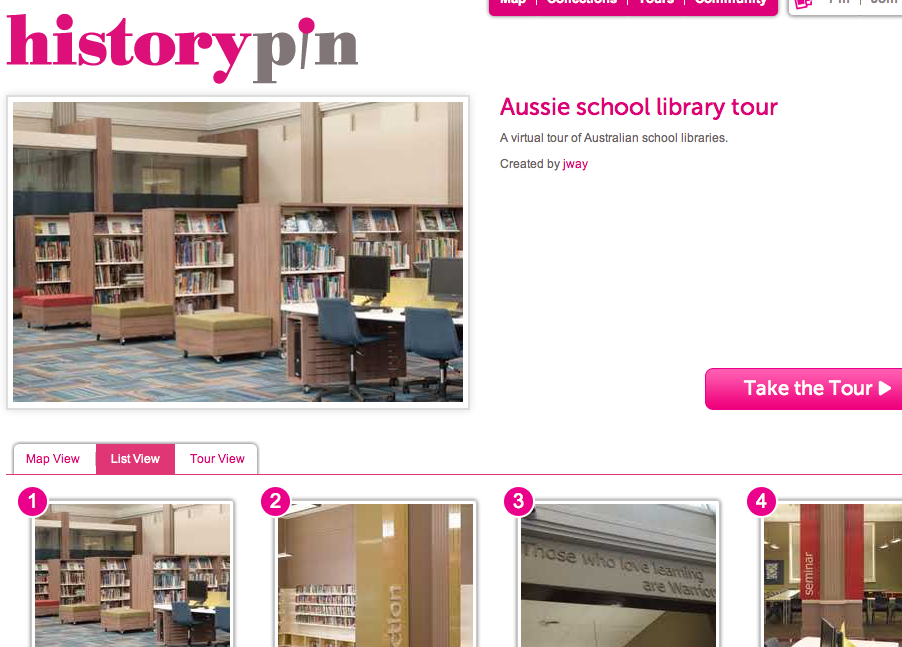
Judith Way’s Virtual Aussie Libraries Tour

This has been cross-posted from the Melbourne High School Library blog.

I am privileged to have as a friend Judith Way. Judith makes things happen – I’ve said this before. As soon as I heard she hit on the idea of a virtual library tour I knew it was going to be good. And it is. Take a look here.

Thanks to everyone for sharing photo of your gorgeous libraries – so many ideas for those of us who are thinking about how we can improve our library spaces. And thanks to Judith for going to the effort of putting this project together.  It’s one step towards bridging the distances between all our libraries and sharing library design ideas.

Historypin looks fantastic – have a look at all the different tours.

Button up, we’re out in the open

css.php