Thankyou, Twitter network

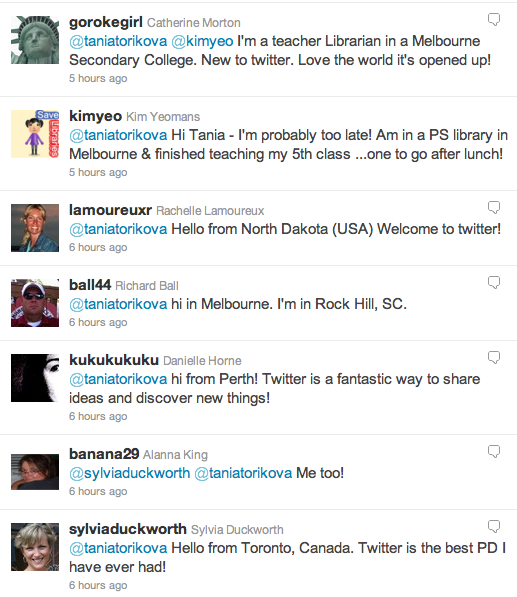
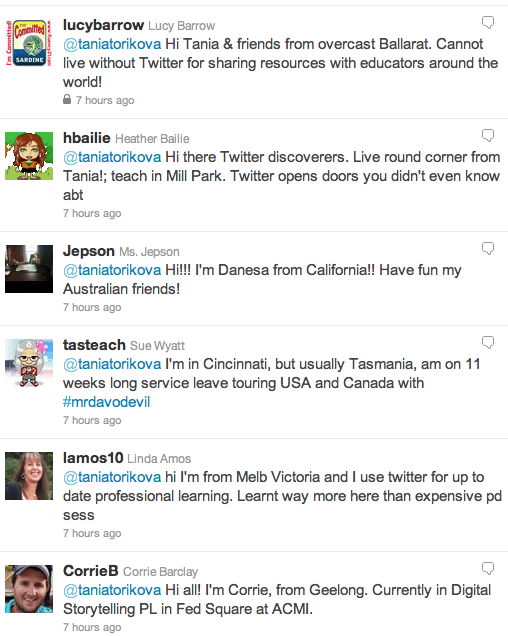
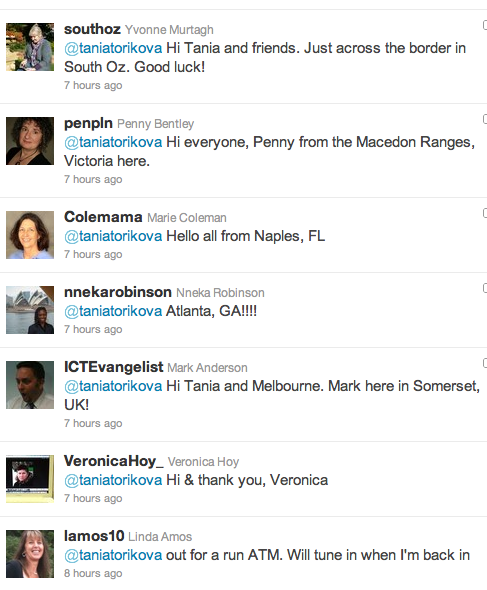
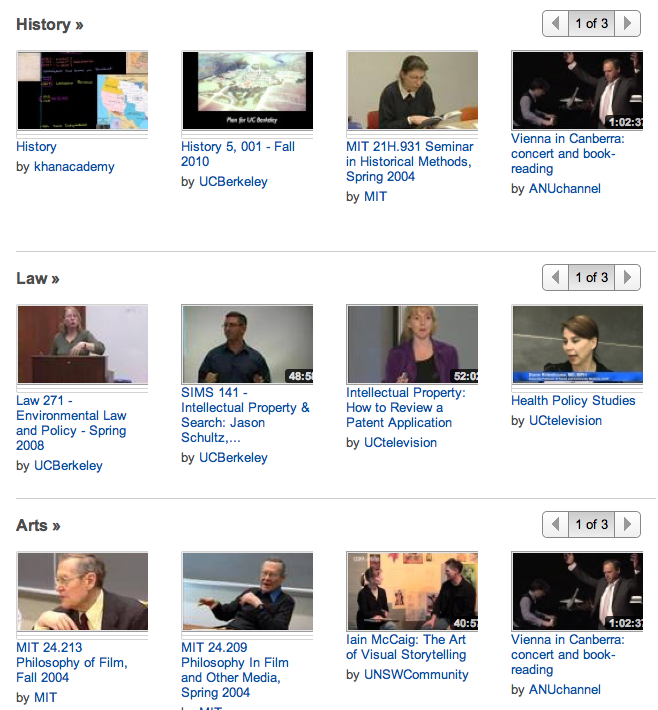
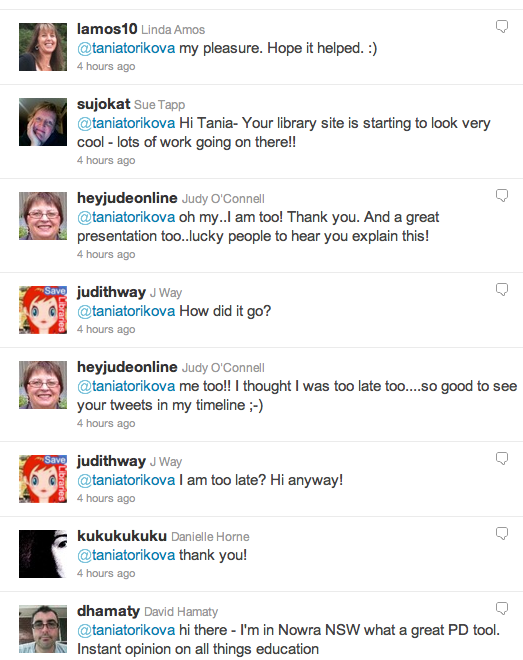
You are amazing, Twitter network. Today during my presentation to staff – How do social networks empower teachers – I tweeted out the traditional ‘Please say hi and where you’re from’ to demonstrate the scope and generosity of my network, and lo and behold! many, many people took the time to respond. That really is the power of the network – people from different parts of the world, some who don’t know me at all, extending a welcoming hand for those who are new to Twitter.

Thank you to my friends, people I see face to face, and those with whom I maintain a close and collaborative contact, for your constant support. Thanks also to those whom I have now discovered, whose blogs I’ve now saved to my Google Reader, and whose shared resources I will share with my staff.

Here is the stream of hellos we received today –


Not bad, huh?

How social networks empower teachers – slideshow presentation

I’ve created this slideshow to accompany a presentation I’m giving to staff on curriculum day about how social networks empower teachers. It’s a little text-heavy but I’m using the slides to structure my talk and hoping that the slideshow will be a resource for interested staff to refer to after the talk. I’ve probably spent much too long on the preamble, the ‘what’s it all about’ but the mindshift preceding any technical instruction is very important. It’s a good idea to view the full version of the slideshow because the embedded version has cut off the far right side.

[googleapps domain=”docs” dir=”present/embed” query=”id=dcb397dn_375864rs8h7&size=m” width=”555″ height=”451″ /]

I have a lot to learn about public speaking and so I am a little nervous about the presentation itself. It’s going to be a challenge providing enough information about what to do with Twitter, Diigo, Vodpod and Scoop.it and how to do it, as well as leaving enough time for some hands on play. Hopefully it will all come together and I’m prepared to skip great chunks of the presentation after I get a feeling for the mood of the group attending. I’m still new to the school and I’m thinking that I should not focus entirely on cramming content but take the opportunity to get to know the teachers attending my session.

I’ll let you know how it goes!

Connected – the film and the Melbourne event @slv

An email from Hamish Curry got me interested in a film called Connected: an autoblogography about love, death & technology which is screening at the State Library of Victoria (Village Roadshow Theatrette) on 23 November 2011 at 6.30 – 8pm. Well if Hamish is gushing about it, then I must see it.

[youtube=http://www.youtube.com/watch?feature=player_embedded&v=rUBjnk_9n8Y#!]

Here’s the info Hamish sent in his email:


What does it mean to be living in a hyper connected world? How is it changing the way we communicate, relate, work and consume, and what impact is this having on our well-being and that of the planet around us? In this entertaining, exciting, and emotional film, director Tiffany Shlain takes audiences on an exhilarating roller-coaster ride to discover what it means to be connected in the 21st century. Shlain reveals the surprising ties that link us not only to the people we love but also to the world at large. A personal film with universal relevance, Connected explores how, after centuries of declaring our independence, it may be time for us to declare our interdependence instead. (Dir: Tiffany Shlain, unrated, 2011, 80 mins)


This event is highly recommended for those with interests in education, social media, communications, technology, sustainability, history, science, and culture. We have a special ‘Connected: Educator’s edition boxset’ to give away on the night.

Book online here – https://register.eventarc.com/event/view/6099/tickets/connected-an-autoblogography-about-love-death-technology-23-november

For those with a stronger interest in education, we’re planning to have a meetup prior, for an opportunity to share some of the programs and strategies that are changing the way we think about education.

This will also be at the Village Roadshow Theatrette from 4:30 – 6pm.

Please email me directly if you’d like to part of this informal meetup (HCurry@slv.vic.gov.au)

I look forward to having a diverse, passionate, and open-minded crowd on the night, and for us all to feel a little more connected.


Thanks, Hamish, I look forward to the whole event – film and discussion. So many good things happening in Melbourne lately in terms of meetups and good conversation.


Mobile Technologies – Apps Showcase

Here’s my presentation at the SLAV conference – Activate: Learning with Emerging Technologies on Monday 17 October 2011.

Educational iPad/iPhone Apps Showcase[slideshare id=9762475&w=425&h=355&sc=no]

View more presentations from Tania Sheko

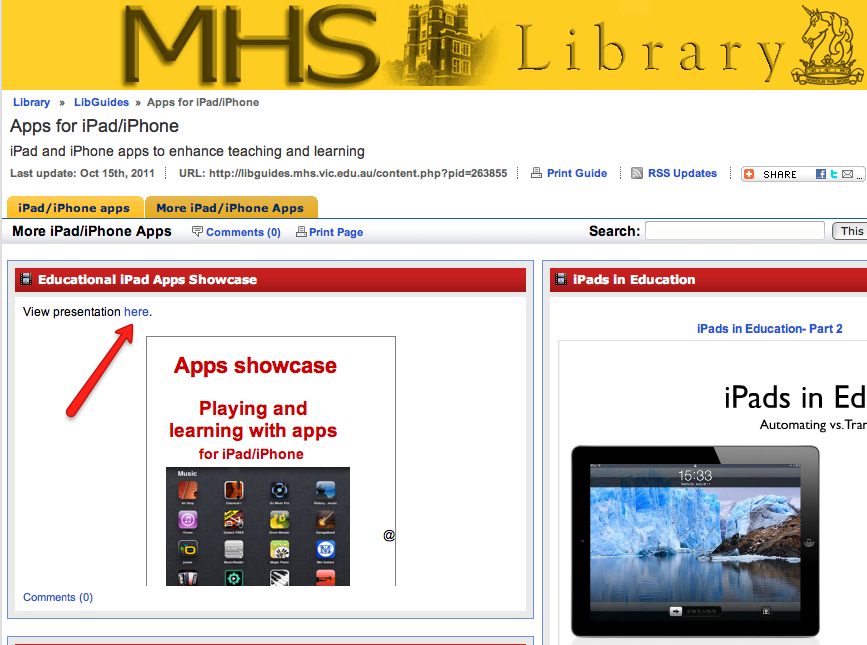
I’ve added the link to the presentation on my school LibGuides page for iPad/iPhone apps here. The 2 pages of links to resources for iPad/iPhone apps are worth checking out and I’ll be continuing to add resources here.

I’m really happy with LibGuides in terms of organising and sharing resources for the school. So much better than the old Dreamweaver library websites, easy to use and share, easy to collaborate in, as well as to ‘borrow’ things from other creators (with permission, of course!)

A big thank you to Natalie Elliott (@nataliee_1) from Toorak College for agreeing to join me for the second half of the presentation. Natalie talked about her experiences in setting up and managing iPads in her school. I was happy to provide this practical aspect for the technicians.

This presentation was modified from a previous one which I wrote about here.

Google+ gets better – Real-time Search and Hashtag support

It’s interesting to watch and experience the development of Google+ as it continues to add and improve features. It’s all about the experience really. Google+ is now rolling out real-time search results and improved hashtag support. Sounds great – nothing like real-time, and using hashtags is a powerful way to collate conversations and share them effectively.

[youtube http://www.youtube.com/watch?v=beFP0REw3DM&w=560&h=315]

Trends, transformations, and change in libraries – David Lee King and Hamish Curry at the City Library

Thanks to my colleague Denise at my new school third term ended nicely with an excuse to revisit the City Library and come together with a largish group of people for an injection of ideas mixed with wine and a very impressive spread. This is what we attended –

David Lee King – Digital Branch & Services Manager at the Topeka & Shawnee County Public Library
Freak Out, Geek Out, or Seek Out: Trends, Transformations, and Change in Libraries

Hamish Curry – Education and Onsite Learning Manager at the State Library of Victoria
Putting IT back in Reality

When: 2.00pm to 5.00pm on 23 September 2011.

Where: The Majorca Room, City Library, 253 Flinders Lane, Melbourne Victoria 3000

Between them David Lee King and Hamish Curry gave us enough food for thought to last for a long time but for some reason two things pushed their way into my mind and disabled all the rest – risk and fun. This is something which has been on my mind for a while. Thinking about the library as a space, a service, a hub, a resource, and everything else that it encompasses, I agree with Hamish that people coming into libraries should be surprised. And once they get over the shock of finding the unexpected in a library, they will look around and discover things they never noticed before. Smart thinking, Hamish. By the end of the day, when Denise and I took our conversation into The Journal Cafe, we were scheming like school girls, imagining a night-time event in a large, mysterious library to rival the night game conducted in the New York Public Library earlier this year, imagining our library elevator door decked out like Dr Who’s time-travelling police box, and an installation taking shape from the Lego blocks we planned to drop on the reference shelves at the disposal of creative students.

For those who would rather know about what David and Hamish actually talked about yesterday, here are some links.

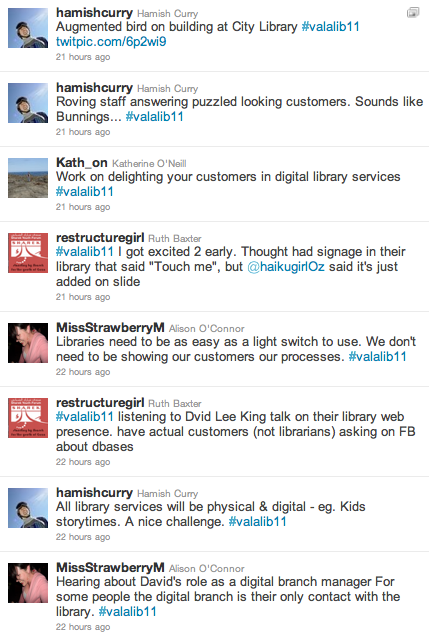
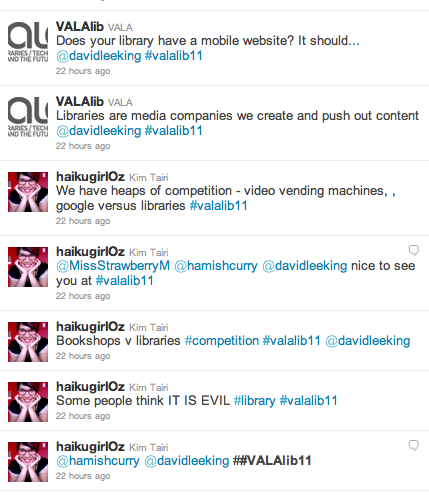
Firstly, a Twitter steam (mine are missing – don’t know how to search a hashtag which includes my own tweets) –

Here is Hamish’s multi-dimensional slideshow – he just kept coming out with more and more ideas and things to blow up anything old and tired as far as libraries and librarians go:

Putting IT back in reality [slideshare id=9384759&w=425&h=355&sc=no]

I couldn’t find David’s slideshow but here is his Slideshare page with previous presentations.
Actually, I have been mulling over more than fun and risk in libraries, in fact, David’s examples of the potential of libraries’ digital presence resounded in me, and I agree that we should be providing services within the types of online spaces and networks our customers usually frequent.
Altogether, a great afternoon and excellent finish to the term. Thanks!

YouTube.com/Teachers is launched – let’s flip the classroom

Breaking news:

YouTube.com/Teachers has just been launched.

This morning I read Will Houghteling’s announcement in the  Google Certified Teacher Group –

This morning we launched YouTube.com/Teachers as a resource for educators everywhere to learn how to use YouTube as an educational tool. There are lesson plan suggestions, highlights of great educational content on YouTube, and training on how teachers can film their own educational videos. This site was designed/written by teachers for teachers and we hope it’s the first step in really kick-starting a community of YouTube-using educators (sign up for the new YouTube Teachers email list on the right hand side here)

Read the launch blog post here, co-authored by James Sanders and the launch tweet is here if you want to RT it.

There are many reasons why we should make more use of videos in our teaching: to increase student engagement; to cater for the visual learner (most learners will appreciate a visual means of learning); to introduce a new topic to students before the class; to provide a visual tutorial which students can revisit as many times as they wish and at their own pace; to provide an alternative style of instruction – to mention just a few. Flipping the classroom is something I think should happen more often – provide the video as homework to precede the class, and that way students are already familiar with the content and classroom time can be used effectively for discussion, collaboration and creation.

You can join the YouTube Teachers’ Community on this page if you want to receive emails about the ways in which you can incorporate YouTube videos in your teaching.

I think it would be a good idea to create a YouTube channel for your classes and you can read about that here.

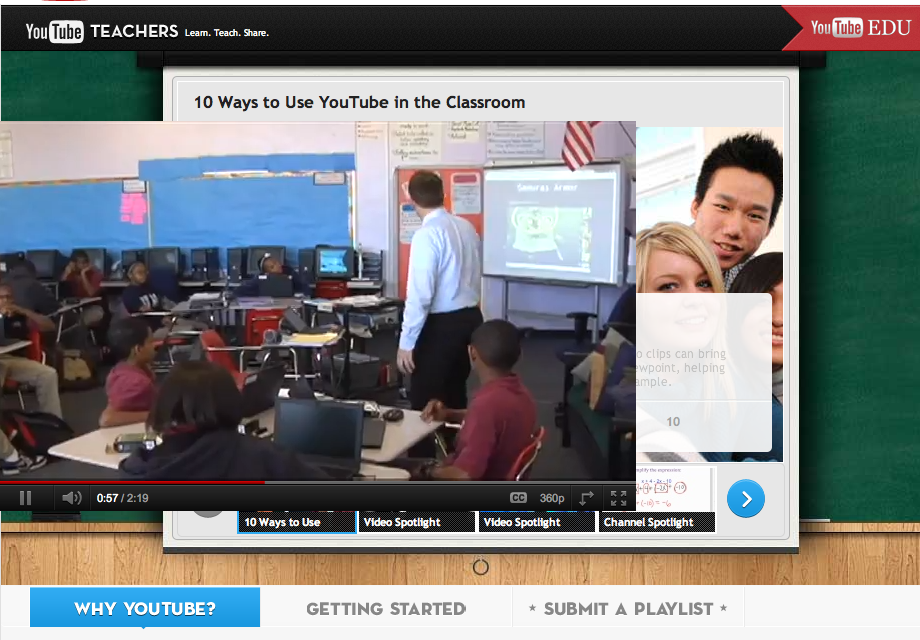
Have a look  at 10 ways to use YouTube in the classroom and also at different types of tools to create your own videos or for students to create them. There’s a lot more on the site including tips for video production.

You can search and browse educational categories of YouTube videos here. The Khan Academy alone has 2.676 videos to choose from.

It really is just sensible to be aware of best quality resources available instead of reinventing the wheel. Unless, of course, you are creating an original alternative to the wheel!

Browsing through the different curricular areas of various tertiary institutions, I am aware that there is a wealth of resources for students requiring more sophistocated content and thought, and that applies to all students at my school, Melbourne High School. For me, as teacher librarian, this wealth of resources is begging for curation. I’m thinking about YouTube.com/Teachers  from my role – it’s there, it’s fantastic, how do I promote it to the whole school, and how do I embed it into a space where teachers will find and use it.

I welcome feedback and thoughts about this excellent resource. As always, I will be sharing this resource and my thoughts on Twitter, Facebook and Google+.

More about LibGuides for the teacher librarian

[vimeo http://www.vimeo.com/1217243 w=400&h=300]

LibGuides Intro from Springshare on Vimeo.

Since Joyce Valenza’s recent visit to Australia and her inspirational demonstration of her school library’s online resources using LibGuides, our team at Melbourne High School have been determined to revamp the tired library pages. Creating attractive and user-friendly web pages and integrating online resources is so easy with LibGuides. So easy, in fact, that I haven’t been able to wait for the curriculum areas to be set up, and have jumped into creating pages for a few of the curricular subject areas. The LibGuides page is created with the addition of boxes which are named and can be organised and reorganised to suit. Images and multimedia can be easily added too. I haven’t been as ambitious as Joyce who has used Glogster to organise visual hyperlinks to her resources, but hey, one step at a time. I think the pages look great, the more visual organisation the better as far as I’m concerned.

LibGuides provides excellent support as my Head of Library discovered when she contacted them for help and received an immediate reply. I’m not a fan of ploughing through text-heavy manuals so I found a visual alternative which you can have a look at here. I had a look at how Illawara Grammar School and Trinity Grammar School (NSW) presented their school library’s ‘face’ and organised their pathfinders and online resources. LibGuides also offers examples and reviews of their product here. Seneca Libraries also have a great manual for the creation of subject guides in LibGuides.

This morning I’ll scan the Twitter hashtag #libguides for more opinions and links. I notice that @crgalvin (Carmel from Trinity Grammar) has tweeted about signing up for LibCal to enable library room bookings. I have a feeling we’ll be discovering more and more possibilities as we build our version of LibGuides. Every example will demonstrate a different way of organising resources for example, we like how Trinity Grammar School uses the top tabs and drop-down boxes to organise thematic and curricular areas differently to Joyce Valenza’s tab use which could become too overcrowded for us.

Although we haven’t created our ‘front page’ yet, I’ve been impatient to start and have been resourcing LibGuides pages for Visual Arts, WritingLOTE (Languages Other Than English) and French. You’re welcome to have a look and more than welcome to leave any suggestions or constructive criticism. Of course I haven’t had the patience to read through any of the guides so I imagine I have created more work for myself in terms of things to repair later on.

Of course there are some fantastic resources for teacher librarians on LibGuides, for example, Springfield Township High School’s Spartan Guides for teacher librarians. Buffy Hamilton has some great stuff; I’m just looking at her school’s LibGuides page for Kindles which looks comprehensive. We’d be more than happy to hear from other school libraries who are using or thinking about using LibGuides for their online resources. Please come in and share your experiences in the comment section after this post.

Scooping means curating

                                                           Photo courtesy of CanadianAEh on Flickr

Time is one of our most precious commodities in a fast paced world. This is particularly true for educators, don’t you think? For teacher librarians, curating information and resources and doing it well is more important than ever. Our information management strategies enable us to control the flood of online information, and to connect with others in order to receive and share information.

Scoop.it (beta), a new way of curating online resources for a topic of choice, has sprung up out of nowhere (somewhere, obviously), and it seems that most of the people in my Twitter, Facebook and other networks are giving it a go. At first I thought – what!? yet another thing to keep up with; do I really need to tie myself down to managing more than my existing blogs and bits? But honestly, Scoop.it is probably one of the most effortless ways not only of curating a topic online. You just create a topic, get the button, then ‘scoop’ websites as you see them. The layout is great, magazine-style page, much easier to skim and select than looking through Diigo or Delicious accounts. Personally, I’m looking forward to the day when all information is enhanced by a visual layout; much more user friendly.

The networking part of Scoop.it works really well. I get email alerts when one of my people creates another topic, and then it’s just a matter of having a look to see if I want to follow it. Looking through someone’s list of followed Scoop.its opens up even more topics, so every day I’m discovering new resources. Since people choose areas of interest, they are often experts in resourcing this topic. Developing a personal learning network has never been so important. Networking is a powerful way of having the best and most relevant resources come to you. You can even suggest resources for somebody else’s Scoop.it topic, and then the creator has the choice of accepting or ignoring this.

There is an option of sharing on Facebook and Twitter, and that is often how I am alerted to new topics and links. Of course, tagging makes locating resources easy.

Today on Facebook Karen Bonanno shared the Library Research Services’ Vimeo Channel featuring videos such as School library characteristics that affect student achievement – an excellent series of videos, quite digestible in video form, and I wanted to share these with my library team so I added a post in my school library blog.

[vimeo http://www.vimeo.com/16517124 w=400&h=225]

Chapter 4: School Library Characteristics that Affect Student Achievement from LRS on Vimeo.

Currently I’ve only created 2 topics:

Apps for learning and What is a teacher librarian – can’t say I’ve put much effort into these. I think you have to get into the mindset of thinking ‘Scoop.it’ as you read and discover things online. However, I have been looking through others’ resources, and I’m happy to say that Scoop.it has turned out to be more than a new gimmick. I suppose you have to give new things a go in order to decide whether they warrant your time and focus.
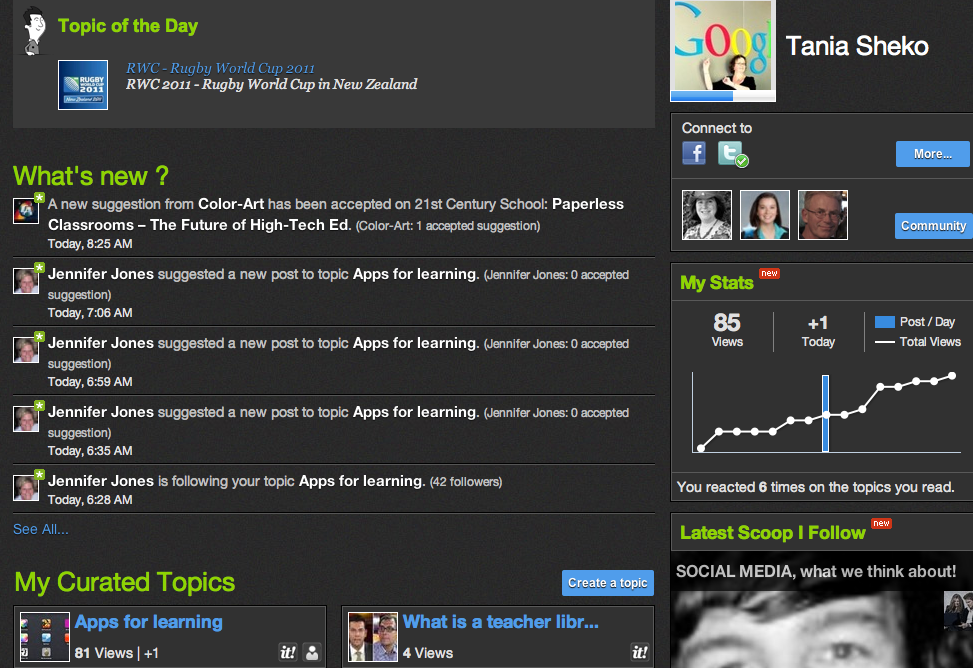
The Explore tab at the top of Scoop.it takes you to the latest scoops within the topics you follow. Currently I follow 75, and yes, you can’t keep up with everything all the time. Like the fast flowing Twitter stream, you just dip in when you have time or when you’re looking for specific resources.
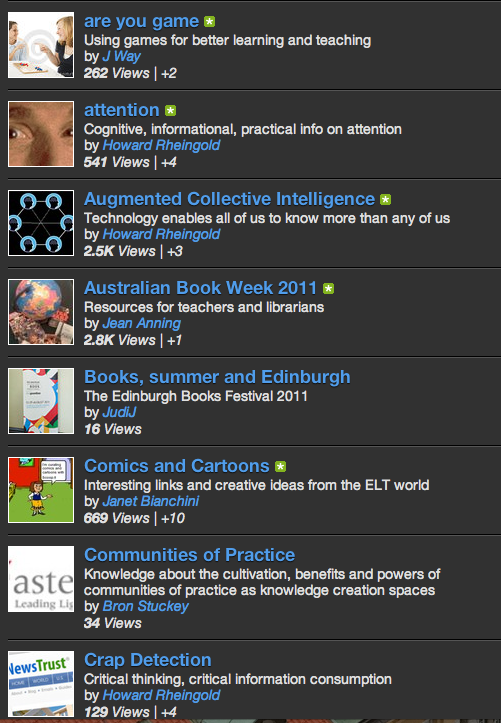
If you’re using Scoop.it please leave your Scoop.it identity in the comment box. I would love to see what you’ve been curating. It would also be good to discover your favourite topics. Don’t be shy!

Button up, we’re out in the open

css.php